Under U.S. issuer rules, Apple Card Mastercard sits inside the Wallet app and is issued by Goldman Sachs Bank USA. The product integrates tightly with iPhone and iPad, so account controls, spending insights, and security features live where payments happen.
Apple Card Mastercard works anywhere Mastercard is accepted after setup on an eligible device. Applicants outside the United States can still read this guide to understand scope, limits, and why device region, residency, and identity checks determine access.
What Apple Card Mastercard Is and How It Works
Apple Card was designed for privacy, security, and simpler money management inside Wallet. The account is issued in the United States, managed in Wallet or on the web, and can be used in stores via Apple Pay or with the optional titanium Apple Card for chip and magstripe transactions.
Daily Cash rewards post shortly after a transaction clears, and financing for Apple hardware appears through Apple Card Monthly Installments when eligible. If an online application is completed without adding the card to an owned, eligible device, usage is limited to eligible Apple purchases online or in-store at Apple.
Eligibility and Requirements
Apple publishes clear requirements that gate approvals and prevent avoidable declines. Residency, device compatibility, and identity verification form the baseline.
Credit checks follow after you accept an approved offer, which may adjust your score. Read this list carefully, then prepare documents and device settings first to keep the flow smooth.
- Must be at least 18 years old, subject to local age laws where you live.
- Must be a U.S. citizen or lawful resident with a physical U.S. address or military address.
- Need an iPhone or iPad running the latest iOS or iPadOS and Wallet app setup.
- Must sign in to your Apple Account with two-factor authentication enabled.
- Any credit freeze must be temporarily lifted prior to application.
- A state-issued photo ID may be requested during identity verification.
- The device region must be set to the United States before starting the application.
Security and Privacy at a Glance
Risk controls live close to the card number to keep fraud low and management simple. Device-level security matters, since Wallet holds the keys. Expect rotating security codes, instant alerts, and the ability to lock the account from your phone without contacting support.
Advanced Fraud Protection rotates the security code daily for online use. The physical card has no printed number or CVV, reducing the risk of skimming. Push notifications flag new transactions in real time, and a quick lock inside Wallet stops usage if the device goes missing.
Account numbers can be regenerated when necessary, and merchant-specific tokens protect Apple Pay transactions from reuse.
How To Apply On iPhone Or iPad
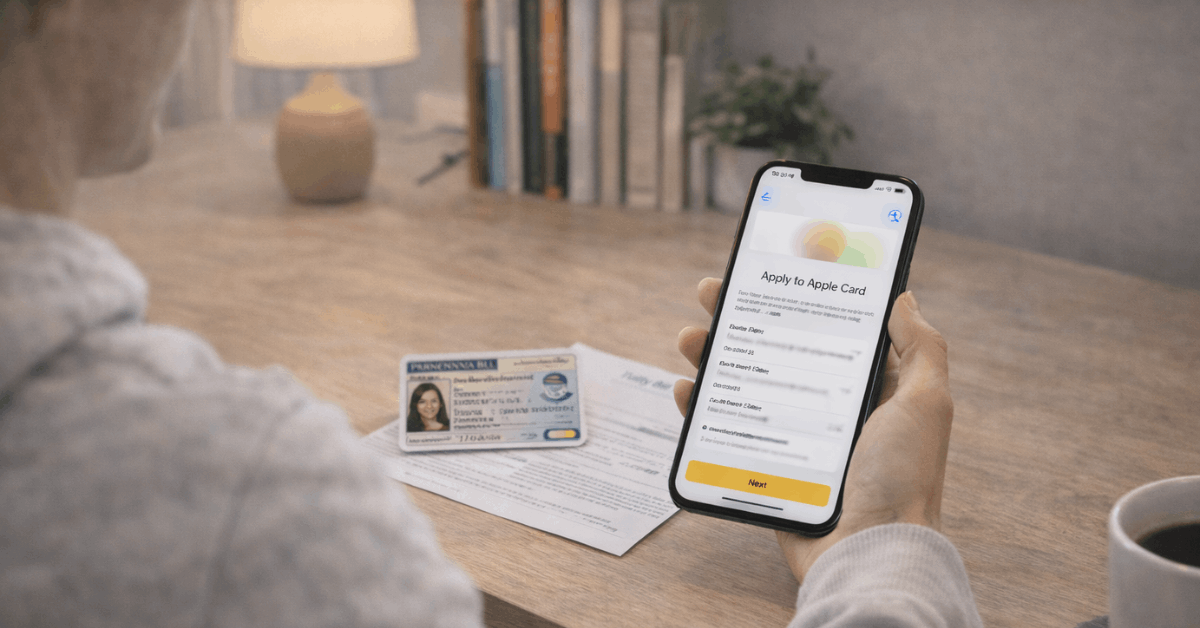
The application takes minutes when your Apple Account, device region, and ID are ready. A soft credit check shows terms without impact. A hard inquiry posts only after you accept an approved offer.
- Open Wallet, tap the Add button, select Apple Card, then tap Continue.
- Complete the Apple Card application and review the Terms and Conditions.
- Accept the offered credit limit and Apple Card APR if the terms make sense.
- Add the card to Wallet to enable in-store and in-app payments anywhere Mastercard is accepted.
- Request the titanium Apple Card if a physical card is desired for chip or magstripe acceptance.
What Happens After You Apply
Decision results typically fall into three buckets. An approval unlocks full Wallet features, and in-person payments after device add. A decline references eligibility or credit findings. An approval with insufficient credit for a device purchase calls for plan adjustments.
If Approved
The offer remains available for up to 30 days. After acceptance and device add, purchases work anywhere Mastercard is accepted, Daily Cash accrues on eligible transactions, and full account management lives in Wallet or your web account.
Default payment settings can point Apple services like App Store and Apple Music to the card. Monthly Installments for Apple hardware appear when eligible.
If Declined
Eligibility issues or credit file signals usually explain the decision. Age, residency, device requirements, or a still active credit freeze can block progress. Correct the specific blocker, confirm Wallet app setup, and try again when conditions change.
If Credit Is Insufficient For A Device
Monthly Installments draw against the card limit. Lower the cart total, increase trade in value, or wait for a higher offer after profile changes. A separate card decision may still allow everyday spending within the approved limit.
Sharing an Account Through Apple Card Family
Sharing can boost convenience when households prefer one statement. Roles determine liability, visibility, and credit reporting. Co-owners share full responsibility, while participants spend with tracked permissions.
Apple Card Family lets an owner invite trusted adults or teens into a Family Sharing group. Co-owners share a single line of credit, gain full visibility into account activity, and are each reported as owners to credit bureaus.
Participants can receive spending limits and controls without ownership. Co-ownership carries risk because missed payments or high utilization affect both credit profiles.
Rates, Fees, and Daily Cash Rewards
Pricing stays simple, and reward rules are easy to remember. Variable APR ranges reflect creditworthiness at approval and may change over time. Fees remain minimal compared to many cards in the market.
| Category | Daily Cash |
| Apple purchases | 3 percent |
| Apple Pay transactions | 2 percent |
| Other transactions | 1 percent |
Variable APRs for Apple Card range from 17.74 percent to 27.99 percent based on creditworthiness, quoted as of November 1, 2025. Late fees, over-limit fees, and foreign transaction fees are not charged on this product.
Example partner merchants for 3 percent when using Apple Pay include Hertz, Nike, Uber, and Walgreens, among others, which may change. For clarity in your notes, keep the phrase Daily Cash rewards visible when planning monthly budgets.
Mastercard Protections and Travel Benefits
Network-level features add value beyond Apple-specific perks. Coverage terms depend on eligibility and enrollment, where required. Read benefit guides to understand the scope and exclusions.
- Zero Liability Protection covers unauthorized purchases made in-store, online, or over the phone.
- Mastercard ID Theft Protection offers credit file monitoring, alerts, and specialist assistance after enrollment.
- Mastercard Travel and Lifestyle Services can include hotel privileges, discounted rentals, and an optional concierge.
- Priceless Experiences provides access to curated events and lessons across entertainment, sports, and food.
- Priceless Golf opens doors to select private tee times and programs for qualifying World or World Elite cards.
Troubleshooting The Application
Most stalls trace to settings or documents rather than credit findings. Fix the environment first, then resubmit the Apple Card application. Keep these common blockers in mind.
- Device region not set to the United States prevents the application from starting.
- The credit freeze is still active, blocking the hard inquiry after offer acceptance.
- Photo ID glare or cutoff forces a rescan or manual review; retake in bright, even light.
- Outdated iOS or iPadOS reduces Wallet app setup reliability; update before applying.
- Browser incompatibility affects web flow for online applications; switch to a supported browser.
Security, Defaults, and Everyday Setup
Seamless daily use starts when Wallet is configured to your preferences. Default settings affect Apple Pay, App Store, and subscriptions across devices. Spend a minute finalizing details.
Set Apple Card as the default payment method for Apple Pay and Apple services if consolidation is the goal. Check scheduled payments or auto-pay in Wallet to avoid missed due dates, as all payments are due on the last day of each month.
Create notifications for transaction types and Daily Cash posts. Link a bank account for payments and transfers, and confirm mailing address and language settings for communications that default to English.
Apple Card Monthly Installments and Savings
Installments and savings live as optional, complementary features. Both tie back to Wallet for control and visibility. Limits and APY values can change, so verify figures at decision time.
Monthly Installments finance eligible Apple hardware at 0 percent for defined terms, such as 24 months for iPhone and Apple Vision Pro, 12 months for Mac and iPad, and 6 months for accessories like AirPods or Apple TV 4K.
Installment balances count against the overall card limit, so large device purchases will reduce available credit for everyday transactions. Apple’s savings account for cardholders automatically flows Daily Cash into an interest-bearing savings account in Wallet, with an APY quoted in recent materials near the mid-3 percent range.
Is Apple Card The Right Fit
Value depends on where and how you pay. Daily Cash is simple, while transfer-based ecosystems can out-earn cash in specific categories. A quick comparison frame helps decision-making.
Heavy Apple spenders who prefer Apple Pay for most purchases tend to extract steady value from 3 percent and 2 percent tiers while keeping management friction low. Rewards enthusiasts sometimes prefer transferable points ecosystems from other issuers when dining, travel, or category bonuses dominate their budgets.
An industry view summarized by 9to5Mac highlighted that cash programs cap upside relative to points when redemptions exceed face value. Keep the Wallet app setup and convenience premium in mind when comparing across cards.
Where Apple Card Works
Acceptance follows Mastercard rails once the card lives in Wallet. The physical card fills gaps where Apple Pay is not available. Travel usage works normally, since the network is widely accepted.
In-person and in-app transactions succeed anywhere Mastercard is accepted after device add. Online use without a device adds limits to spending on eligible Apple channels.
The titanium Apple Card supports chip and magstripe payments at terminals that lack contactless support. Network protections apply regardless of form factor, and real-time alerts help you spot unfamiliar charges quickly.
Last Thoughts
Apple Card Mastercard delivers secure, iPhone-native payments, clear pricing, and predictable Daily Cash earnings. Daily Cash and Wallet controls keep rewards simple and management consistent across devices. Eligibility hinges on U.S. residency, compatible hardware, and successful identity checks inside Wallet.
Households can share through Apple Card Family, while network protections and freeze tools guard everyday use. If Apple Pay dominates spending and simplicity matters, this card fits; otherwise, compare category ecosystems and richer travel perks.
Note: This site provides general information on credit cards and payment products, not financial, legal, or tax advice; always verify rates, fees, and terms with the issuing bank before applying.