Shoppers searching for a Walmart Credit Card today will mostly encounter two live families: a U.S. program issued by Synchrony Bank through the OnePay app, and a Canada-only program branded Walmart Rewards Mastercard.
Both lines target frequent shoppers who want simple, no-fee earning, quick approvals, and app-first management. The application routes differ slightly, yet the essentials stay predictable: check eligibility, pre-qualify when possible, submit a clean application, and activate digital access immediately for fastest use.
Key Facts at a Glance
The U.S. OnePay CashRewards Card earns unlimited 3% at Walmart, or 5% if you hold a Walmart+ membership, plus 1.5% everywhere else Mastercard is accepted. A $35 welcome bonus posts after spending $75 within 30 days.
Applicants who do not qualify may be considered for a Walmart-only line called the OnePay Walmart Spend Card. There is no annual fee.
Walmart Rewards Mastercard and Walmart Rewards World Mastercard
In Canada, Walmart Rewards Mastercard and Walmart Rewards World Mastercard earn 3% in reward dollars at Walmart stores or Walmart.ca, plus 1% outside Walmart, with a $25 welcome bonus after a $75 Walmart purchase in the first 30 days.
Preferred interest is listed at 21.89%, and eligible cardholders get Delivery Pass credits annually: 3 months on the standard card or 6 months on the World tier.
May 2024 marked the formal end of the prior U.S. partnership between Capital One and Walmart; existing accounts remained usable while Walmart prepared the new OnePay-issued program with Synchrony and Mastercard.
Eligibility and Pre-Qualification
Card programs aim for broad retail coverage, although approval still hinges on credit profile, reported income, and identity checks. U.S. applicants can use a soft-pull pre-qualification flow inside OnePay to estimate approval odds without affecting credit scores.
Canadian applicants follow standard credit approval and may qualify for the World tier based on income or spending. Paying in full each cycle protects the rewards value because retail cards typically carry higher purchase APRs.
Documents You’ll Need:
- Government ID details and date of birth for identity verification.
- Current address and phone number so the issuer can match records.
- Stated annual income to assess capacity for new credit.
- Social Security number (U.S.) or equivalent national ID (Canada).
How To Apply For The Walmart Credit Card
Shoppers can complete the process in minutes once basic details are ready. This section covers the common routes and what happens immediately after approval. Plan a single, clean submission to avoid duplicate inquiries.
Apply In The OnePay App
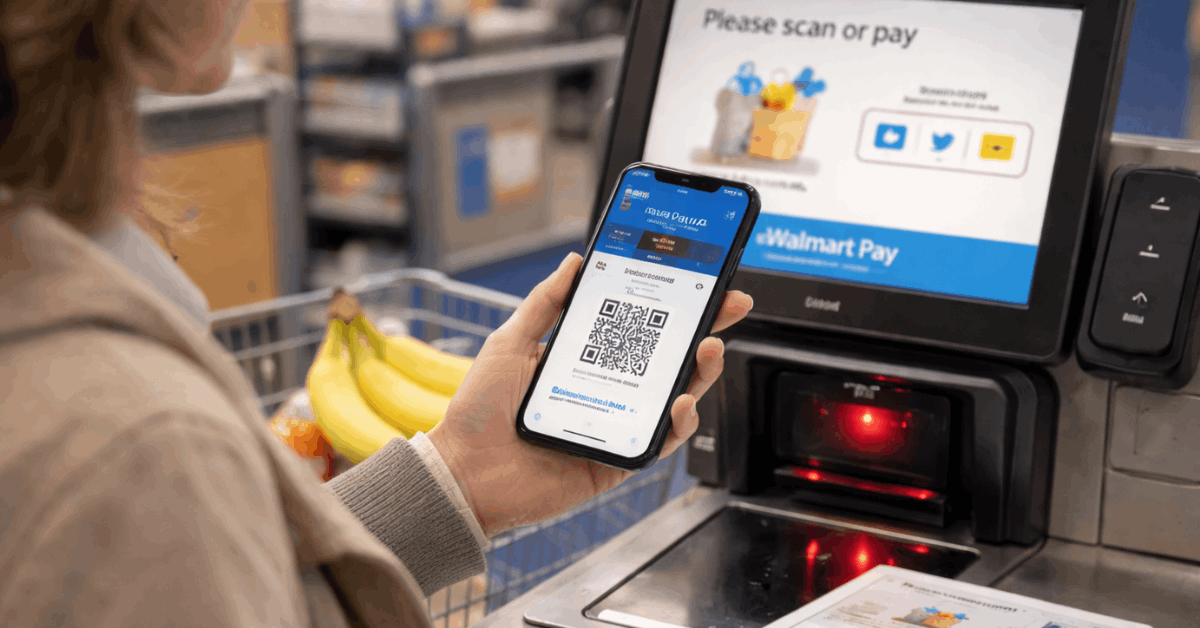
Start inside the OnePay app’s Credit Card tile. Use the pre-qualification option first, then move to the full application. Approvals can unlock instant usage; add the card to Walmart Pay in the Walmart app for in-store checkout while waiting for the physical card.
Apply Online At Walmart.com
Applications surface on Walmart’s OnePay Card page, which summarizes earn rates, welcome terms, and the fallback Walmart Spend Card. The site also clarifies redemption into a OnePay Cash account or as a statement credit.
Apply Online For Walmart Rewards Mastercard
Applications are available via Walmart.ca and the Walmart Rewards portal. The page lists the 3%/1% earn rates, $25 welcome, preferred interest, and Delivery Pass benefit timing. Canadian approvals follow local disclosure rules and cardholder terms.
Apply In Store
U.S. and Canadian stores can route you to the same issuer flows using QR codes or customer service desks. Expect a quick ID check and a digital decision. U.S. approvals typically appear in OnePay immediately for same-day online use.
Card Options Compared
See card options below:
| Card | Annual Fee | Earn at Walmart | Earn Elsewhere | Welcome | Key Perks |
| OnePay CashRewards Card (US) | $0 | 3% standard; 5% for Walmart+ members | 1.5% | $35 after $75 in 30 days | Pre-qualify; redeem to OnePay Cash or statement credit |
| OnePay Walmart Spend Card (US) | $0 | Usable only at Walmart | N/A | None listed | Considered if CashRewards isn’t approved |
| Walmart Rewards Mastercard (CA) | $0 | 3% in reward dollars | 1% | $25 after $75 in 30 days | 3-month Delivery Pass credit annually |
| Walmart Rewards World Mastercard (CA) | $0 | 3% in reward dollars | 1% | $25 after $75 in 30 days | 6-month Delivery Pass credit annually |
Using Your Card Smartly
Autopay eliminates late fees and preserves credit health, which matters more than squeezing an extra point. Redemption flexibility helps too; U.S. OnePay points can be routed as statement credits or into a OnePay Cash account, and Canada reward dollars can be redeemed directly toward Walmart purchases.
Check your statement for how and when bonuses post, then confirm balances in the app or web portal.
Walmart Pay
Mobile wallets deserve a quick note. Walmart stores promote Walmart Pay rather than third-party NFC options. Apple Pay and similar services are generally unsupported at U.S. Walmart registers, so plan to use Walmart Pay or your physical card in-store, and your mobile wallet elsewhere.
Travel Use
Travel use remains straightforward on the U.S. CashRewards Mastercard at any merchant that takes Mastercard.
Canadian Mastercard acceptance is similarly broad, and Delivery Pass credits add ongoing value for frequent grocery delivery customers. Foreign transaction details vary by product; review your card’s pricing disclosure before international trips.

Fees, Rates, and Redemption Basics
Annual fees are currently $0 across lines, as summarized here. Purchase APRs on retail-linked cards often run higher than general-purpose prime-market products, which makes full monthly payoff the simplest way to keep rewards net-positive.
Canada’s preferred interest for Walmart Rewards presently appears as 21.89%, while U.S. OnePay pages emphasize earn rates, welcome terms, and redemptions rather than publishing a single universal APR. Cash advances and balance transfers are either unavailable or discouraged due to cost; verify availability and pricing inside your specific account terms.
Redemptions in the U.S. are described as cash back into a OnePay Cash account or as a statement credit. Canada’s reward dollars can be spent like store credit toward eligible Walmart purchases, including online grocery; exclusions apply for items such as tobacco or prescription medication.
Managing Everything In The App
Account dashboards show recent transactions, available credit, and rewards balances.
Security controls such as instant card lock, alerts, and digital card numbers raise day-to-day safety. U.S. cardholders will primarily manage credit accounts through OnePay; Canadian cardholders use the Walmart Rewards portal and the issuer’s web tools. Keep push and text alerts enabled to catch any out-of-pattern charges quickly.
Troubleshooting and Support
Occasional hiccups happen during migrations and app updates. If a bonus fails to post after meeting spend, document dates, receipts, and the promotional language from the issuer page, then contact support through in-app chat or the number on the back of the card.
If in-store acceptance issues occur with mobile wallets, switch to Walmart Pay or the physical card and follow up later. Press releases and issuer support pages tend to clarify timelines for program changes, especially after partnership transitions.
Bottom Line
Frequent Walmart shoppers can extract steady value from a no-fee card, fast digital provisioning, and simple redemptions. U.S. applicants who shop often and hold a Walmart+ typically land the richest earning rate on the OnePay CashRewards Card.
Canadian shoppers see consistent savings from the 3% earn plus the annual Delivery Pass credits. Keep applications clean, pay in full, and track rewards inside the app to make the program work long term.
Note: This site provides general information on credit cards and payment products, not financial, legal, or tax advice; always verify rates, fees, and terms with the issuing bank before applying.