Request a Pernambucanas card through the official app or at a physical store, then wait for a fast eligibility check. The process is built around digital document review, which Pernambucanas has discussed publicly through its use of Google Cloud OCR for document validation.
Most people pick the app route because it stays simple: submit details, confirm documents, and follow the status inside the same account.
Pernambucanas runs a long-standing retail operation in Brazil, and its financial products are managed through Pefisa, the group’s fintech arm. That setup matters because the card experience usually blends retail perks with app-based control, rather than feeling like a bank-only product.

What The Card Is And Who It Fits
A Pernambucanas card is commonly positioned as a Pernambucanas store credit card tied to shopping benefits across the brand’s ecosystem. Daily use tends to focus on store purchases, promotions, and installment options, while the app concentrates control in one place.
Good fit shows up in practical situations: Regular shoppers often want predictable installment plans and store-only discounts. People who prefer managing spending on a phone usually value real-time tracking, invoice access, and quick security actions.
Ways To Request The Card
Three request paths appear most often, and the mobile route usually moves the quickest. A store visit still works well when help is needed to submit documents or confirm registration details.
Common request methods:
- Pernambucanas App (recommended): Download the official app, choose the card sign-up option, and follow the prompts to submit details. The Cartão Pernambucanas app listing highlights features such as enrollment, limit checks, invoice access, card blocking, and installment anticipation.
- Store Counter Assistance: An in-store application starts with a staff member opening the request flow and collecting required documents. Store support helps when document photos fail or address data needs correction.
- Official Site Registration: Card pages exist on the brand’s official website and may route the request into the same backend approval flow. App submission still tends to feel more straightforward since status updates stay visible in one place.
Requirements To Prepare Before Applying
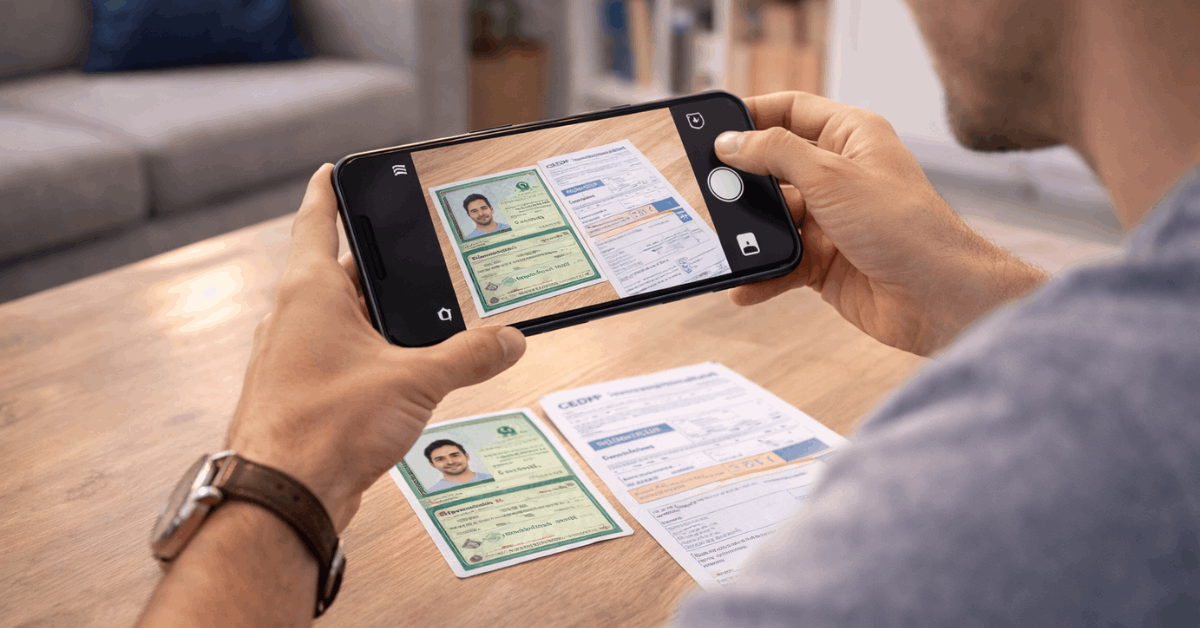
A clean submission depends more on consistency than on having rare documents. Identification details must match across forms, and address data should align with what credit bureaus and service providers already have on file.
Common requirements in Brazil include:
- Government-issued photo ID such as RG or CNH, plus CPF details.
- Address confirmation may be requested, and
- proof of income may appear depending on internal policy and the applicant profile.
Some requests run smoothly without an income upload, while others ask for extra validation.
A practical mindset helps here: treat the request as a credit onboarding flow, even when the card is strongly tied to retail use. Data quality decides speed.
How Approval Usually Works
Pernambucanas has discussed cloud-based document validation through Google Cloud OCR, aimed at automating document review and reducing manual friction.
That’s why quick analysis times get mentioned in product discussions. Approval may happen in seconds for straightforward profiles, yet the same system can also pause the flow when something looks inconsistent.
Typical delays come from:
- Blurry photos, mismatched names,
- incomplete address fields, or a
- The CPF situation needs manual review.
A second submission often fixes the issue, especially when lighting and camera focus improve.
What Happens After Approval
Card access usually appears inside the app first, followed by instructions on using the card in-store or online. Limits and product options can vary by profile, so the first step after approval is checking the available credit limit and confirming the payment schedule shown in the account.
Benefits That Matter After Activation
Most benefits fall into two buckets: retail savings and control features. The official app description emphasizes tracking, invoice access, and self-service security actions, which matter for everyday use.
Core benefits often promoted:
- Spending visibility and planning: Real-time tracking helps keep purchases and future postings visible, especially during installment-heavy months.
- Invoice access and organization: A digital invoice option reduces reliance on paper statements, and older invoices typically remain accessible for reference.
- Instant security control: The app lets users block the card quickly after a loss or suspicious activity.
- Installment flexibility: Interest-free installments are available on eligible offers, and the app listing mentions the option, which appeals to people who want to reduce future commitments.
- Loyalty and tier add-ons: Some product variants, such as Mastercard Gold configurations referenced in retail-facing materials, can connect to the Sempre Mais Pernambucanas loyalty program, depending on the card type held.
Managing The Card Day To Day
Card management is where the app can save time. The Cartão Pernambucanas app commonly centers a few repeat actions: checking limits, reviewing purchases, accessing invoices, and making payments.
A steady routine keeps things calmer:
- Weekly checks reduce surprise postings.
- Invoice reviews catch installment overlaps.
- Early payments help when the balance is climbing faster than expected.
Key actions that most cardholders use:
- Purchase history review,
- payment scheduling,
- invoice download, and
- security settings.
App store descriptions also highlight “future releases,” meaning upcoming postings that haven’t hit the invoice yet, which helps planning around payday.
Support Options When Something Breaks
Support channels matter most during failed submissions, missing invoices, or card security issues. Pernambucanas publishes official contact points through its customer service pages, including phone support for cards and WhatsApp support for card-related assistance.
Official contact information can change, so checking the latest details inside the app or on the brand’s support pages is the safest habit.
Typical issues that support can solve quickly:
- Application status stuck,
- document upload errors,
- invoice access problems,
- payment confirmation delays, and
- card lock or unlock requests after security events.
Common Mistakes That Slow Approval
Small mistakes tend to cause the longest delays, mostly because automated systems flag inconsistencies fast.
Frequent problems include:
- Name formatting differences between documents,
- outdated address info,
- low-light photos, and
- Rushed form completion that creates typos.
A careful resubmission often clears the issue, especially after updating address fields to match current records.
Quick Checklist Before Submitting
Clear photos, matched personal data, and a stable connection reduce the odds of a failed request. Document alignment matters more than speed, even when approval can be fast.
A simple final check works well:
- CPF correct,
- RG or CNH photo-readable,
- address complete, and
- contact number active for verification steps.
Last Thoughts
Requesting a Pernambucanas card tends to go smoothly once the basics are treated seriously: clean documents, matching personal data, and a careful app submission.
Fast approval is possible thanks to automated validation, yet the same system flags inconsistencies quickly, so photo quality and address accuracy matter.
Card value shows up after activation, when limits, invoices, and security controls are easy to manage in one place through Pefisa’s app-driven setup. Keeping a simple routine of checking purchases and paying on time is what turns the card from a one-time approval into a useful day-to-day tool.
Disclaimer
This site provides general information on credit cards and payment products, not financial, legal, or tax advice; always verify rates, fees, and terms with the issuing bank before applying.