
Streaming is one way of sharing your skills in video games. It also cultivates a community of followers and fans as you interact with your audience. Ultimately, Twitch streaming is like a live TV show where you play games alongside your audience much to their entertainment.
There are a lot of streaming platforms but there is no other popular platform today than Twitch. Twitch has been the go-to site for players who want to stream their games. It accommodates all types of streams from games to lifestyle and all of which have a massive following.
When you start your streaming career, you should always set your expectations straight. There will be instances that you won't have any audience or viewers and that's normal for someone who has just started. Read on to learn more about Twitch and how to stream games online.
What Is Twitch?
Twitch launched in 2011 as a gaming-centric streaming platform. When it was acquired by Amazon in 2014, the platform became one of the most popular. Twitch has shared over 73% of the overall streaming hours in 2019.
And, there are still no signs of stopping. Twitch continues to dominate the streaming landscape even with competitors, such as Facebook and YouTube on the rise. Twitch is certainly the best out of the bunch when it comes to finding your audience and your niche.
Create an Account
The first thing that you need to do to start streaming on Twitch is to make an account. Register an account and add all of your details to create one. Once you have made an account, it is best to try and watch a few streams and get to feel the website before starting.
Learn about the different options and explore the website properly. You may also want to follow a few of your favorite streamers and see what they do on their stream so you can emulate them. This will later bear fruit once you start streaming your games.
Don't forget to read all of the community guidelines especially when it comes to music and other regulations that are in place within the site. These guidelines will help you continue your career within the site and stream without any hitch.
Download Software
If you plan on broadcasting on your computer, you will need to use software that will allow you to broadcast and record your stream. One of the top choices is OBS Studio which is very user-friendly.
It is also one of the most popular and common choices for Twitch streaming software especially for those who are just starting. There is also another streaming software that you can use, such as XSplit and vMix.
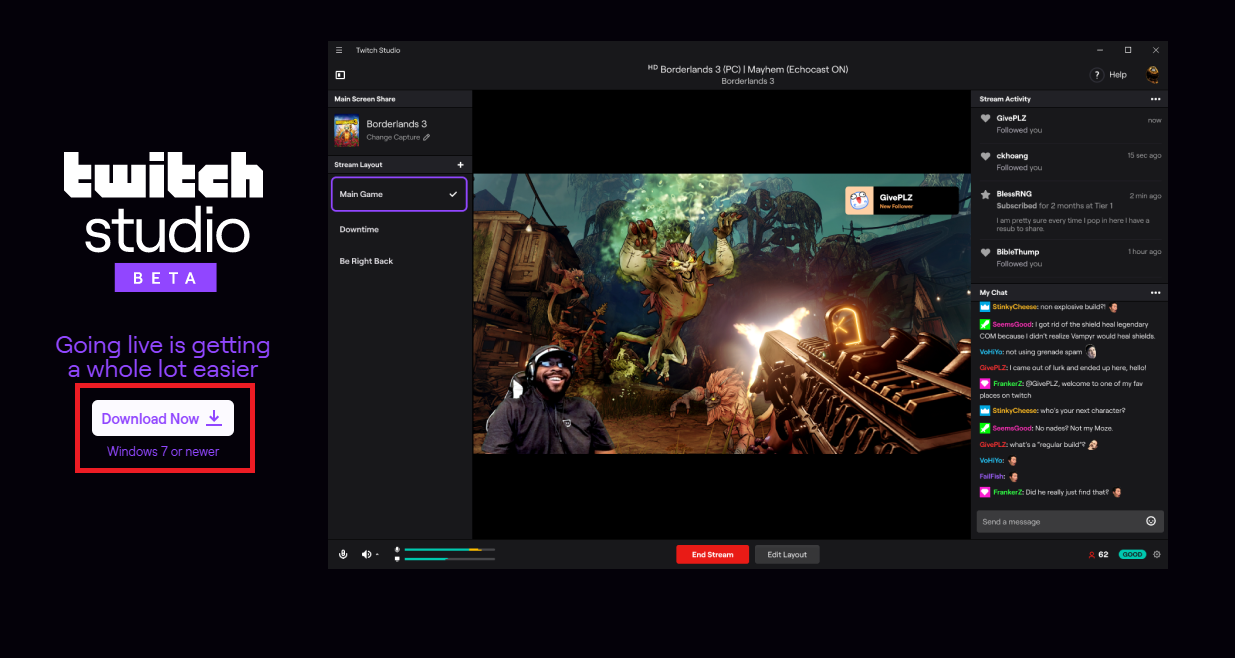
They are equally good and have the option to further enhance your stream with the paid version of the software. Twitch also has its software, Twitch Studio which is currently in its open beta testing phase.
Also read: Call of Duty Mobile – Know How to Get Free CoD Points with Google Opinion Rewards
Hardware Compatibility
Most Twitch streamers face the fact that they will need better hardware if they want to stream their games without experiencing any technical glitches. Game streaming takes a lot of work for your computer so you will need top-notch computer systems to make your streaming quality better.
Invest in good quality hardware that will last for several years. If you don't have enough budget, you can always start with just one hardware then add more as you go along and start earning.
A standard setup of a computer that will be compatible with streaming on Twitch is a computer with an i5 processor, 8 GB of RAM, and a fast and stable internet connection.
If you want to add more content to your stream, it will likely use more memory on your computer so you will have to invest more money for your setup.
Important Equipment
A good camera, microphone, and headset are also important when it comes to streaming. A high-definition camera will ultimately make your stream clearer especially if you have personal content.
A good microphone and headset is also a good investment if you plan on playing games and want to interact with your audience in real time.
How to Stream
Now that you have properly set up all of the requirements for streaming on Twitch, it is time to learn how to stream properly. First, you will need to install the software of your choice and connect it to Twitch.
OBS Studio has an auto-configuration option that will automatically connect the software to Twitch. There are two ways to connect your software to Twitch. You can automatically connect it during installation or you can use the stream key to connect it to Twitch.
You may find the stream key by going to Twitch's settings and choose Channel and Videos then copy the Primary stream key and paste it into OBS and save it.
Add all of your sources including your microphone, camera, and your headset. You may head over to File > Settings > Audio and search for the devices and see if they are compatible. Most streaming software are highly compatible with popular brands.
Different Sources
Play around with the different sources in the software. All you need to do is to click on the plus sign and it will open different sources for you to try. Some of these include games or desktops which will capture and broadcast anything that is shown on your default desktop screen.
Broadcasting Your Stream
Always try to experiment with the streaming settings that work with your current setup. While there is always a need to have a powerful setup, you can always adjust your settings to match your current hardware.
You may want to choose the basic 720p resolution with a 30fps stream so that it will not take a lot of your bandwidth and affect your games.
Conclusion
There are a lot of options and settings that you can do to adjust your stream to your liking. Learning the basics on how to use Twitch should be your top priority and then learn the advanced methods to become successful at streaming.